
Map what hurts
Create pain areas on the body map and add the medications, treatments, and reminders you actually use.
Learn how this worksPrivate pain and medication tracking for Apple platforms
Track pain, medication timing, and relief patterns in one private record across iPhone and Apple Watch.
AndEase is a private tracking tool for personal records and care conversations. It is not a medical device and does not replace professional medical advice.
Free to download. Optional Ad-Free upgrade available. Early App Store rating: 5.0 from 1 rating.
Lower back · 6/10
09:41 check-in
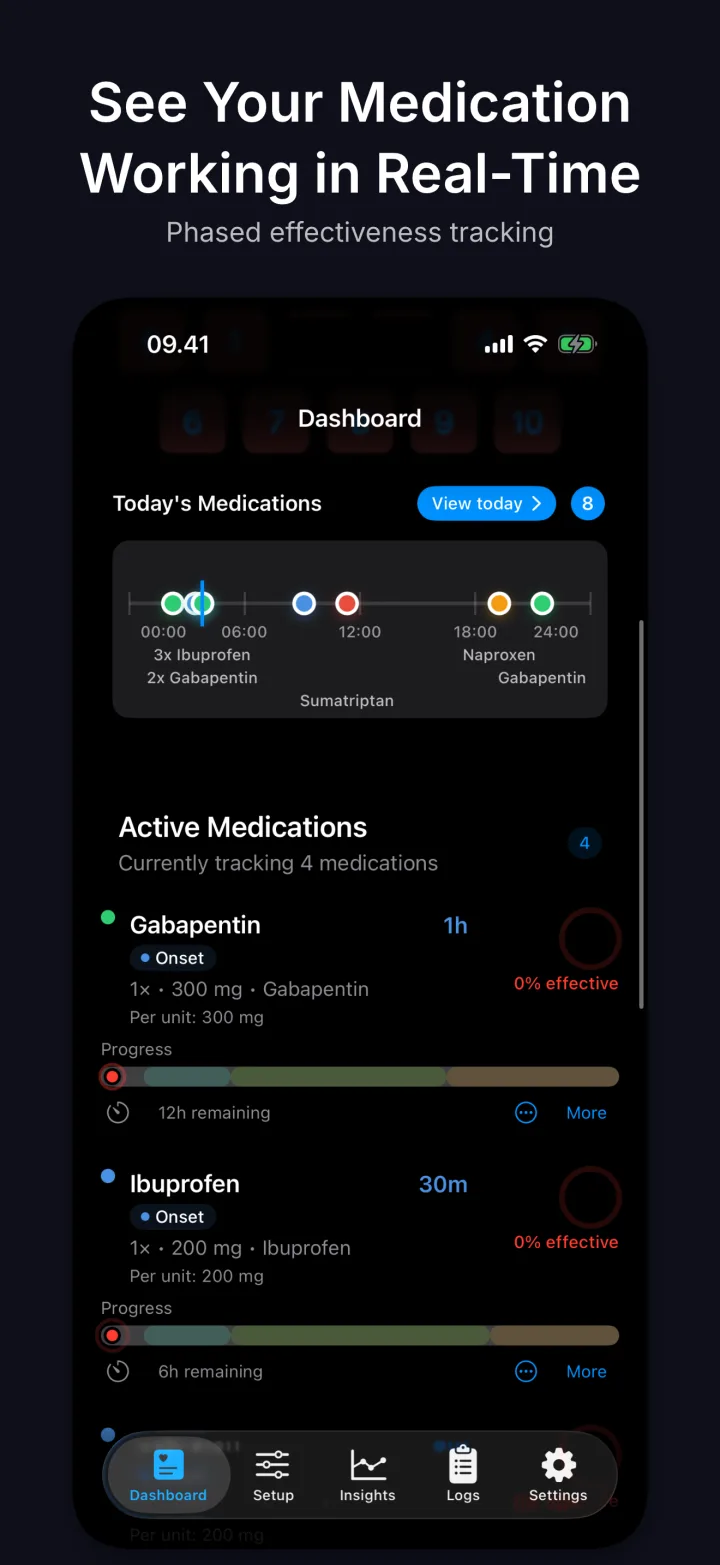
Gabapentin · Onset
59m remaining
How it works
AndEase helps people record pain, medication, treatments, notes, and check-ins in the moment, then review clear history before an appointment or share selected data with a clinic.
Why I built AndEase
AndEase started from lived experience.
After more than 20 years as a pain patient, I needed a better way to track pain, medication, relief, and patterns over time. When pain is intense, even simple things like remembering when you took medication, how much you have taken, or when relief might come can become difficult.
Paper journals and spreadsheets were not enough. Existing apps did not feel right. So I built AndEase: a private pain and medication tracker designed to make it easier to record what happened, understand medication timing, and bring clearer information to care conversations.
Read why I built AndEasePatient app
AndEase helps you capture what happened when it happened, then return to clear logs, trends, and reports later.
Capture the details that make each day easier to review later.
Use fast actions across iPhone, Watch, and Apple system surfaces.
Turn day-to-day entries into appointment-ready context when needed.
Built for Apple
Log from your wrist, follow medication phases from the Lock Screen, and add optional HealthKit context without creating an account for core use.
Log pain, medication, and check-ins from your wrist.
See what is due next and act quickly from the Home Screen.
Follow medication phases on the Lock Screen and Dynamic Island.
Use voice and automations for common logging actions.
Use reminders and time-sensitive prompts where enabled in iOS settings.
Add context like steps, sleep, and workouts when you allow it.

Provider portal
Clinics can use the AndEase Provider Portal to review information that patients choose to share through Secure Sync.
AndEase is designed around patient control. The personal app is local-first, so health entries stay on the user's device by default. Clinic sync is optional and only happens when a patient chooses to connect or share data with a clinic.
The Privacy Policy and DPA overview describe data processing roles, EEA and UK privacy rights, and HIPAA boundaries for US clinic workflows where a written agreement may be required.
Read privacy policyFAQ
No. AndEase is a tracking tool for personal records and clinic conversations. It does not diagnose, treat, prevent, or cure any condition and does not replace professional medical advice or professional clinical judgment.
Yes. Normal personal app use does not require an account or a clinic connection.
The personal app is local-first. Health entries stay on the user's device by default and are not synced to iCloud or CloudKit by default.
Secure Sync is optional. The app shows what can be shared before connection, and patients choose the data types and time range to share.
Yes. Patients can disconnect, change what is shared, or delete backend data from Care Center > Secure Sync > Sync Settings.
Clinic portal capabilities may vary by release. Patients can export appointment-ready PDF reports and CSV files directly from the app.
Yes. AndEase supports Apple Watch for convenient tracking where the Watch app is installed and paired with the iPhone app.
Not currently. AndEase is focused on iPhone and Apple Watch for now.
New clinics should contact AndEase to request access, discuss pricing, and confirm onboarding requirements. Existing authorized staff can use portal.andease.com to sign in.
Track pain, medication, and patterns from your iPhone.

Review shared patient data before and between appointments.
Learn more for clinicsClinic login